




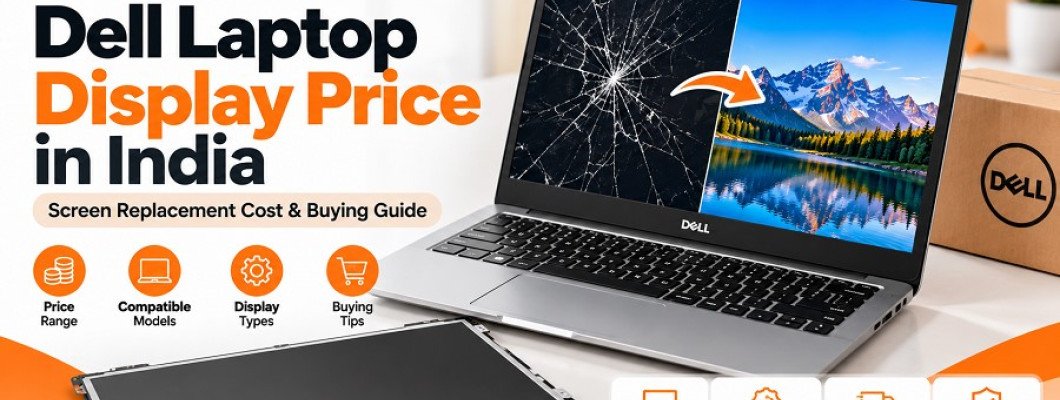
A laptop display is one of the most important components of any computer. Whether you use your Dell laptop for office work, online classes, business activities, programming, or entertainment, a properly functioning screen is essential for a smooth experience. However, laptop displays can get damaged due to accidental drops, pressure, physical impact, or internal hardware problems.
If your Dell laptop screen has developed cracks, black spots, flickering issues, or display lines, you may need a screen replacement. Before purchasing a new display, it is important to understand the available options, compatibility requirements, and factors that affect the replacement cost.
Many users search online for terms such as Dell laptop display price, Dell laptop screen price, Dell laptop screen replacement, and Dell display panel. However, the actual cost depends on your laptop model, screen size, resolution, panel type, and other technical specifications.
In this guide, we will explain everything you need to know about Dell laptop display replacement, including common screen problems, display types, price factors, compatibility checks, and tips for buying the right replacement screen.
Common Signs That Your Dell Laptop Display Needs Replacement
Not every display problem requires a complete screen replacement. Some issues may be related to graphics drivers, display cables, or other internal components. However, certain symptoms indicate that the display panel itself may be damaged.
Here are some common signs to look out for.
1. Cracked or Broken Laptop Screen
Physical damage is one of the most common reasons for Dell laptop display replacement. If your laptop has been dropped or something heavy has pressed against its screen, you may notice visible cracks, black patches, or damaged display areas.
In most cases, a physically cracked LCD or LED panel needs replacement.
2. Vertical or Horizontal Lines on the Screen
Coloured lines, white lines, or black lines appearing across the display may indicate a damaged panel, display cable, or graphics-related issue.
If these lines remain visible after restarting the laptop and checking the display connection, professional diagnosis is recommended.
3. Flickering Display
A Dell laptop screen that continuously flickers can make normal usage difficult. Possible causes include:
Loose or damaged display cables.
Faulty display panels.
Incorrect refresh rate settings.
Graphics driver issues.
Internal hardware problems.
It is important to identify the actual cause before ordering a replacement display.
4. Black Screen or No Display
If your Dell laptop powers on but the screen remains black, the problem may involve the display panel, backlight, display cable, RAM, graphics hardware, or motherboard.
Connect your laptop to an external monitor to help determine whether the issue is limited to the internal display. This is not a definitive diagnosis, so a technician may need to inspect the device.
5. Dead Pixels and Dark Spots
Dead pixels appear as small dots that do not display the correct colours. Dark patches or uneven brightness may also indicate physical damage to the panel.
If these problems affect your daily work, replacing the display may be a suitable option.
Dell Laptop Display Price in India: What Determines the Cost?
The Dell laptop display price in India varies depending on the laptop model and technical specifications. There is no universal replacement price because different Dell laptops use different display panels.
The following factors influence the cost.
1. Laptop Model and Series
Dell manufactures laptops across several product categories, including:
Dell Inspiron
Dell Vostro
Dell Latitude
Dell XPS
Dell Precision
Dell G Series
Dell Alienware
Each series includes different models and configurations. A display compatible with one Dell Inspiron model may not work with another Inspiron model.
2. Screen Size
Dell laptops are available with different display sizes, including 13.3-inch, 14-inch, 15.6-inch, and 16-inch panels.
The screen size is an important specification when selecting a replacement. However, matching the size alone does not guarantee compatibility.
3. Screen Resolution
Laptop displays are available in different resolutions, such as:
HD (1366 × 768)
Full HD (1920 × 1080)
QHD (2560 × 1440)
4K UHD (3840 × 2160)
Higher-resolution displays may have different technical requirements and pricing compared with standard HD panels.
4. Display Technology
Different Dell laptops use different display technologies and panel types.
Common options include:
TN LCD panels
IPS LCD panels
OLED displays
IPS panels generally provide wider viewing angles than traditional TN panels, while OLED displays offer different contrast and colour characteristics.
Always choose a panel supported by your laptop rather than selecting one based only on its display technology.
5. Refresh Rate
Some Dell laptops feature standard 60Hz displays, while gaming and premium models may support higher refresh rates such as 120Hz, 144Hz, or more.
A replacement screen must support the specifications and interface requirements of the original laptop configuration.
6. Original and Compatible Display Panels
Replacement displays may be available as original service parts or compatible third-party panels.
Before purchasing, compare the manufacturer's details, panel specifications, quality, warranty, and compatibility information.
How to Find the Correct Dell Laptop Screen Model
One of the most important steps when purchasing a replacement display is identifying the correct panel.
Buying a screen based only on the Dell laptop brand or screen size can result in compatibility problems.
Follow these steps before placing your order.
Step 1: Identify Your Dell Laptop Model
Check the model name printed on your laptop or use Dell SupportAssist to identify the exact device model.
You can also enter your laptop's Service Tag on the official Dell Support website to find device-specific information.
Step 2: Check the Original Display Specifications
Identify the screen size, resolution, refresh rate, and display technology supported by your laptop.
For example, two Dell laptops with 15.6-inch screens may have completely different display specifications.
Step 3: Find the LCD Panel Part Number
If possible, check the part number printed on the back of the original display panel.
This information can help you identify a compatible replacement. Panel removal should be performed carefully, preferably by a trained technician.
Step 4: Check the Display Connector
Display connectors can differ in pin count, position, size, and interface specifications.
Common connector configurations include 30-pin and 40-pin eDP connectors, but the correct connector must be verified against your original panel and laptop configuration.
Step 5: Compare Mounting and Physical Dimensions
Before ordering, check:
Screen dimensions.
Connector position.
Connector type.
Mounting brackets.
Resolution.
Refresh rate.
Panel thickness.
Step 6: Confirm Compatibility Before Buying
If you are unsure which display to purchase, share your Dell laptop model, Service Tag, or original panel part number with the seller.
Confirming compatibility before ordering can help prevent incorrect purchases and unnecessary returns.
Different Types of Dell Laptop Replacement Displays
Understanding the available display types can help you make a better purchasing decision.
1. HD Laptop Display
HD displays generally offer a resolution of 1366 × 768 pixels. They are commonly found in entry-level and older laptop configurations.
These displays can be suitable for basic tasks such as browsing, document editing, and office work when supported by the laptop.
2. Full HD Laptop Display
Full HD displays offer a resolution of 1920 × 1080 pixels.
They provide more screen detail than standard HD panels and are widely used in modern Dell laptops.
3. IPS Laptop Display
IPS panels are known for their wider viewing angles and consistent colour reproduction.
They can be a suitable replacement choice when your original laptop supports an IPS panel with matching specifications.
4. Touchscreen Display
Some Dell Inspiron and XPS models feature touchscreen functionality.
A touchscreen replacement may require a compatible display assembly, digitizer, connector, and other supporting components.
Always verify whether your laptop uses a touchscreen panel before purchasing.
5. OLED Laptop Display
OLED displays are available in selected premium Dell laptop models.
They offer deep blacks and high contrast. However, OLED replacement panels require exact model and configuration compatibility.
Should You Replace Your Dell Laptop Screen or Buy a New Laptop?
If your Dell laptop screen is damaged, purchasing a completely new laptop may not always be necessary.
Screen replacement can be a practical option when the rest of the laptop is working properly.
Consider the following factors before making a decision:
Choose screen replacement when:
The laptop motherboard is working properly.
The processor and RAM meet your requirements.
The battery and other components are in usable condition.
Only the display panel is damaged.
The replacement cost is reasonable compared with the laptop's value.
Consider buying another laptop when:
Multiple major components are damaged.
The laptop has become outdated for your requirements.
Repair costs are disproportionately high.
You need better performance or newer hardware.
Getting a professional diagnosis and repair quotation can help you make an informed decision.
Tips for Buying a Dell Laptop Display Online
Buying a laptop screen online provides access to different replacement options. However, checking product specifications is essential.
Here are some useful tips to follow.
1. Verify the Exact Laptop Model
Always confirm your complete Dell laptop model before purchasing a replacement screen.
2. Match the Original Panel Number
When available, use the original LCD panel part number to identify a compatible replacement.
3. Check Screen Resolution
Do not assume that all displays with the same physical dimensions have the same resolution.
4. Confirm Connector Compatibility
Check the connector type, pin configuration, and position before ordering.
5. Review Product Condition
Check whether the screen is new, refurbished, or used. Product condition can affect both pricing and expected performance.
6. Check Warranty and Return Conditions
Review the seller's warranty, return eligibility, and policies regarding damaged or defective products.
7. Choose a Reliable Seller
Purchase from a seller that provides clear specifications, product images, compatibility information, and customer support.
Where to Buy Dell Laptop Displays Online?
Finding the correct laptop display is easier when you have access to detailed product information and compatible replacement options.
Flipvendo is an online platform for computer hardware, laptop spare parts, and IT components. You can explore the available product categories and check for suitable replacement components.
Visit Flipvendo to explore available laptop spare parts and computer hardware.
Before purchasing a Dell laptop display, make sure to verify the exact model, panel number, resolution, connector, and product condition. If you cannot identify the correct screen, contact the seller with your laptop details to confirm compatibility.
Frequently Asked Questions (FAQs)
1. What is the price of a Dell laptop display in India?
The Dell laptop display price depends on the model, screen size, resolution, panel technology, and replacement specifications. Check the listing for your exact display model to get the current price.
2. How do I find the correct Dell laptop screen?
Check your Dell laptop model, Service Tag, original LCD panel number, screen resolution, and connector specifications. These details help identify a compatible replacement.
3. Can I replace my Dell laptop screen myself?
Some experienced users may be able to replace a laptop display using the correct tools and service instructions. However, professional installation is recommended if you are unfamiliar with laptop disassembly.
4. Are all Dell 15.6-inch laptop displays compatible?
No. Displays with the same screen size can have different resolutions, connectors, refresh rates, mounting arrangements, and panel specifications.
5. How much time does Dell laptop screen replacement take?
The time depends on the laptop model, display assembly design, and repair complexity. A technician can provide a more accurate estimate after inspecting the device.
6. Can a Dell laptop display be repaired instead of replaced?
Minor issues may sometimes be related to cables or connections. However, physically cracked LCD or OLED panels generally require replacement rather than conventional repair.
7. What is the difference between an HD and Full HD Dell laptop display?
An HD display typically has a resolution of 1366 × 768 pixels, while a Full HD display has 1920 × 1080 pixels. Full HD offers more pixels and greater image detail.
8. Is it better to buy an original or compatible Dell laptop display?
Both original and compatible replacement panels may be available. Compare specifications, compatibility, quality, warranty, and seller reliability before choosing.
Final Thoughts
A damaged laptop screen does not always mean you need to replace your entire Dell laptop. Selecting the right replacement display can restore your laptop's functionality and help extend its useful life.
Whether you are looking for a Dell Inspiron display, Dell Vostro screen, Dell Latitude LCD panel, or another Dell laptop replacement display, always verify the exact model and technical specifications before purchasing.
For laptop displays, computer hardware, and other spare parts, explore Flipvendo and choose replacement components based on your device's actual requirements.
1 Comment(s)
good
Leave a Comment